

Products for accounting firms
Calls, organizers and invoices
under one loginEvery client tool, one login
AccrueNest is accounting firm software for the front office of a US firm of 1 to 10 people: client pipeline, phones, texting, booking, organizers, proposals, engagement letters, workflow, billing and a client portal. Your tax program keeps the returns and the e-file signing; your books never move.
- Each reminder lists the missing K-1
- Letters signed, deposit paid
- Callers you miss texted back


Live in 14 daysMonth to month, no setup fee
- New clients passed on by connector
- Intro-call booking
- Missed calls texted
- Google reviews
- Firm-number texting
- AI receptionist in Spanish too
The separate logins
Signing one new client took five logins
January 9. A business owner calls about an S corp return. Your office manager books the meeting in one app, sends the proposal from another, the engagement letter from an e-sign tool, the organizer from a portal and the invoice from QuickBooks. With AccrueNest the call, the meeting, the proposal, the signed letter, the deposit and the organizer sit on one client card, and each step sends the next.

- Booking app
- Spreadsheets
- A separate e-sign
- One card
- Signed, deposit paid
- Organizer next
The software
Each tool, at your firm
Each tab opens on the moment it handles at your firm: the inquiry, the call, the text, the meeting, the invoice, the report and the review. Each plan carries all of them, and the tools not shown here too.
AccrueNest · Prospects

On your phone

Inquiries by stage
Near midnight, a fence company owner uses your site's form to ask about a partnership return. A card opens under New inquiry, tagged with the ad that sent them, and a reply text goes out in seconds.
See client pipelineAccrueNest · Clients

The staff app

Press 2 for returning documents
A client calls about the bank statement they forgot. The phone menu sends “press 2, returning documents” to the front desk, whose screen shows the caller's record and every past call before they pick up.
Phone detailsAccrueNest · Inbox

The client's thread

Not your cell
A client texts your firm's number about Thursday's drop-off. The front desk replies; that client's record keeps the thread.
See messaging toolsAccrueNest · Calendar

The booking link

Planning meetings paid at booking
A bakery owner books a year-end planning meeting from a text link. Your partner's Google Calendar updates, a Zoom link goes out, and the fee you charge for planning is paid at booking.
See consultation bookingAccrueNest · Billing

The client's pay link

Monthly fees on autopay
Each bookkeeping client pays the same fee on the 1st from a saved card. A late payer receives a text reminder that opens the invoice, and QuickBooks Online records each payment.
See billingAccrueNest · Reports

The owner's view

Clients by source
Calls, booked meetings, signed letters and new clients, each counted by ad, listing and referral, with what each new client cost.
See reportingAccrueNest · Reviews

The text clients receive

Review requests
When staff move a return to Picked up, each client who signed your consent is texted a link for a Google review. Review replies we draft stay silent about who your clients are.
See reviewsBefore eight, after five, on Sunday
Plenty of clients only get to their taxes after hours. Three of those moments, as they play out at your firm.
3 uploads overnight· Front desk opens at 8:30
6:40 p.m.· Caller
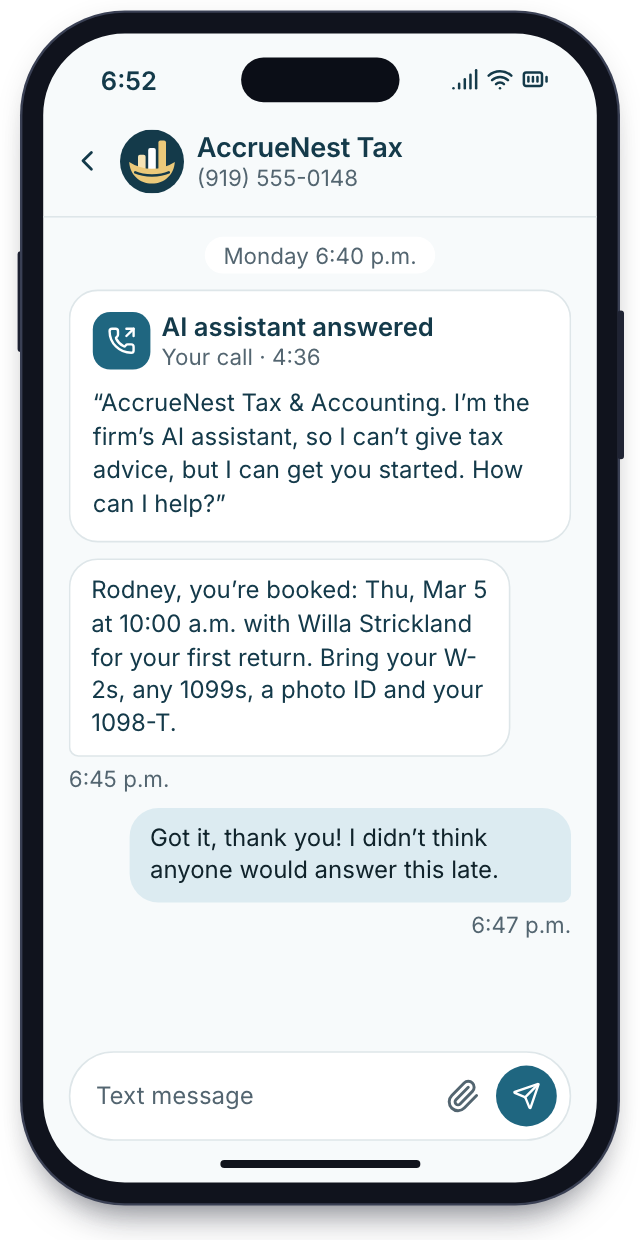
AI receptionist
Your office closed at 5. A caller asking what to bring for a first return hears up front it's speaking with an AI helper for the firm, gets the list and books Thursday at 10. It gives no tax advice.
7:50 a.m.· Signed
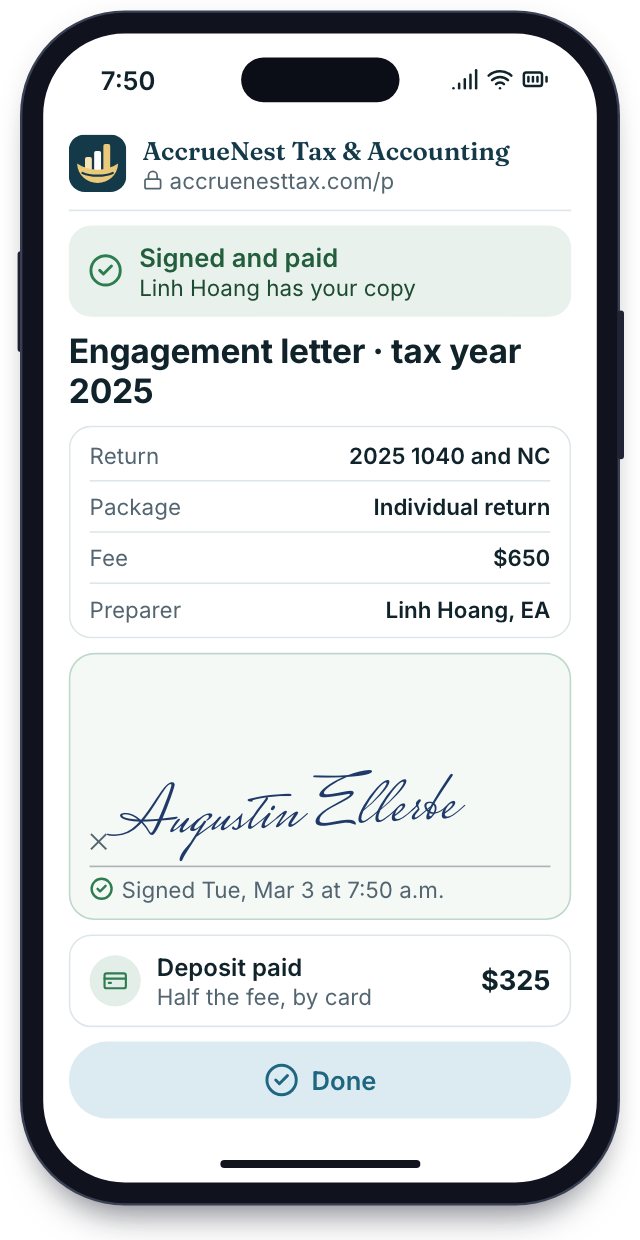
Letters signed on phones
The engagement letter, filled in from the proposal, is signed in the car before work. The deposit goes through in the same step.
Sunday night· Upload
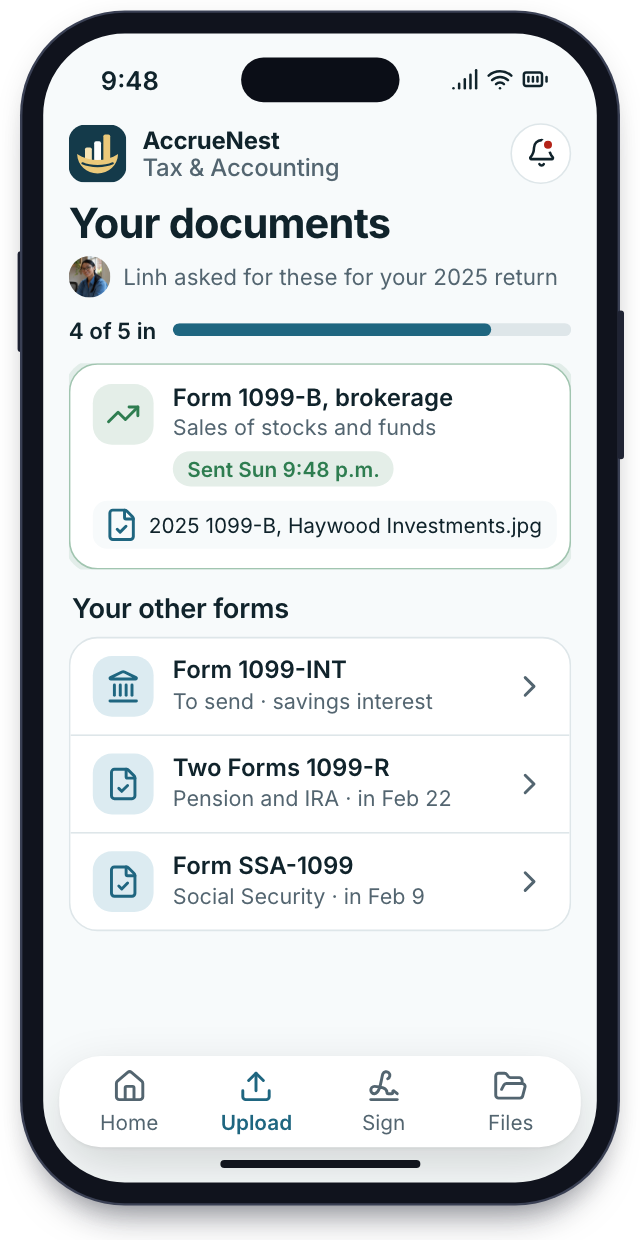
Client app
Sunday night a client snaps a 1099-B with the client app. The file appears on the organizer under its own name.


Setup
Our work, not your staff's
Your firm keeps serving clients while we configure everything. Each week has its own list, with the few items we need from you.
Your year, mapped
We go over your services, fees, phone lines, organizers and letters, and which tax software and books you keep.
One call with the owner
Forms and letters rebuilt
We bring your client list across, rebuild organizers and engagement letters, write the site and file the texting registration.
Your staff build and type nothing
Training for the whole office
The front desk learns the shared inbox, the call screen and the booking calendar with your own services loaded. Preparers learn the workflow board and organizers; the owner learns reports, proposals and payments. Seasonal help gets a short session.
Training on your own client list
The first callers reach you
On launch day the website, phones, booking and organizers come online and ads start. Texts wait for carrier approval of your firm, days to weeks.
The site and phones switch on
Month to month, no setup fee, live in 14 days
Your setup list
Live in 14 days
8 of 28 done
1Your year, mappedDoneIn progressUp next
- Owner explains how last March went
- Published fees and minimums gathered
- Busiest calling hours noted
- Tax software named
- Last year's organizer and EL shared
- Google listing ownership confirmed
2Forms and letters rebuiltDoneIn progressUp next
- Last season's clients loaded with return type
- Pages for 1040s, payroll and nearby towns written
- Main office number transfer underway
- Organizers rebuilt by return type
- Each EL wired to its proposal
- Proposal packages priced
- Carrier paperwork for texting submitted
- Document and deadline texts drafted for your okay
3Training for the whole officeDoneIn progressUp next
- Desk staff answer test texts in the inbox
- Phone menu tested
- Preparers shown the workflow board
- Calendars linked
- Seasonal help given their own login and a short training session
- Owner shown reports and payments
- Owner hears the AI's first answers
4The first callers reach youDoneIn progressUp next
- New site public, each page carrying booking and chat
- First ads running
- Weekly Google posts begin
- Texts begin once carriers approve your firm's registration
- QuickBooks payments linked
- Account manager's first check-in booked
- Reports scheduled
Count your current logins
List every monthly charge your firm carries for phones, booking, e-sign, proposals and the website. On the demo we total it and show what one plan, priced by who logs in, covers.


Used every working day

Cornelius B.Owner of a CPA firm, Columbus 3 billscanceled in month oneI canceled the e-sign service, the booking app and the second phone line in the first month. The client cards show me everything I used to ask for.

Ezequiel M.Enrolled agent, San Antonio Press 2routes calls to the deskThe phone menu sends returning-document calls to the desk and new callers to me. I see who is calling before I say hello.

Annika L.Bookkeeping firm owner, Minneapolis 40 invoicespaid by autopayMonthly fees come in by autopay on the 1st. I no longer send forty invoices by hand.

Marguerite D.Office manager, New Orleans CPA firm Oneboard for every returnThe workflow board tells me which returns wait on documents and which wait on a signature, without asking anyone.

Prakash S.Tax preparer, tax office, Edison Alldocuments in before prepOrganizers come back with each document under its own name. I open a return knowing every wage form and K-1 is already there.

Thuy N.Client services lead, Houston tax office Stage textsinstead of status callsClients get a text when their return moves to review or is ready to sign, so my phone rings far less in March.


Questions, answered
What owners ask first
Try a word like QuickBooks, payroll or app.
8 questions
What is in AccrueNest, and what isn't?
Pipeline, phones, AI receptionist, texting, booking, organizers, proposals and letters, workflow, billing, portal and reports, plus a website and ads. Not return prep, bookkeeping or payroll.
Do bigger plans get more tools?
No. Every plan has every tool; a larger team simply pays a higher monthly price.
What's the monthly price?
Proprietor, for a solo firm, is $97 a month. Principals costs $197 a month for a team of two to five, and Firmwide $297 once six to ten people sign in; larger firms contact us. One flat fee each month. We never charge by the call, the inquiry, the client or the return, and we take no cut of what you bill.
Do our tax program and books stay?
Yes. AccrueNest sits beside your tax software and your books. Returns, e-file, Form 8879, the books and payroll stay in the programs you use now.
Does it do tax preparation, bookkeeping or payroll?
No. AccrueNest handles the work around the return: calls, documents, letters and payments. The return, the books and payroll runs stay in your own programs.
Must clients download an app?
No. A web browser on any computer opens the portal; the iPhone and Android app is optional.
What reaches QuickBooks Online?
AccrueNest records the payments and invoices it collects in QuickBooks Online.
How is client data protected?
What clients upload or tell your firm is encrypted, used only to serve your firm and not sold to anyone. Every plan adds two-step sign-in and user roles.
Searched most often
Still unsure?
Email Imogen at sales@accruenest.com with questions about what's included, your tax software or what setup asks of your staff.
Imogen PritchardAccount manager
Request a demo