

For the person running the front office
Twelve organizers out.
Reminders sent.Twelve out. Reminders already sent.
AccrueNest is accounting firm automation for the office manager at a US firm of 1 to 10 people: calls, texts, the calendar, organizers, proposals and invoices, built with you by our team, for one monthly price.
- Texts ask for each missing W-2
- Seasonal logins limited

Live in 14 daysMonth to month, no setup fee
- Shared inbox
- Drop-offs, pick-ups and intro calls booked online
- Autopay set for monthly clients
- Roles for each staff member
- Returns by stage report
It's March 10. The phone rings while a client waits by the counter holding a folder, two preparers ask which organizers came back, and last week's engagement letter is still unsigned. Here is that same morning, with the setup our team builds.
Sticky notes, voicemail, spreadsheets
Texts, boards and autopay, set
Returns and books stay put


Where you work
Your day, on three screens
The screens an office manager opens before 9 a.m.


Drop-off and pick-up appointments, intro calls with a partner and paid planning consultations share a calendar, by preparer and office. Clients pick a time online or tap a link you text them, it syncs to Google Calendar and Outlook, and each reminder says what to bring.
Texts, emails, website chats and Facebook or Instagram messages from clients all arrive where every desk in the office can see them. You see who already replied, route a K-1 question to its preparer and answer with a saved template in two taps.
Each return and each monthly close is a card, from Documents requested to Picked up, with a due date and an owner. Moving a card sends that stage's text to the client, and the extension board takes over in April.
What lands on you
Six jobs you no longer do by hand
Proposals, invoices, overflow calls, ad receipts and review requests sit with the office manager between everything else. Below, what each one looks like once our team has set it up.
Proposals, invoices
Proposal signed, invoice already out
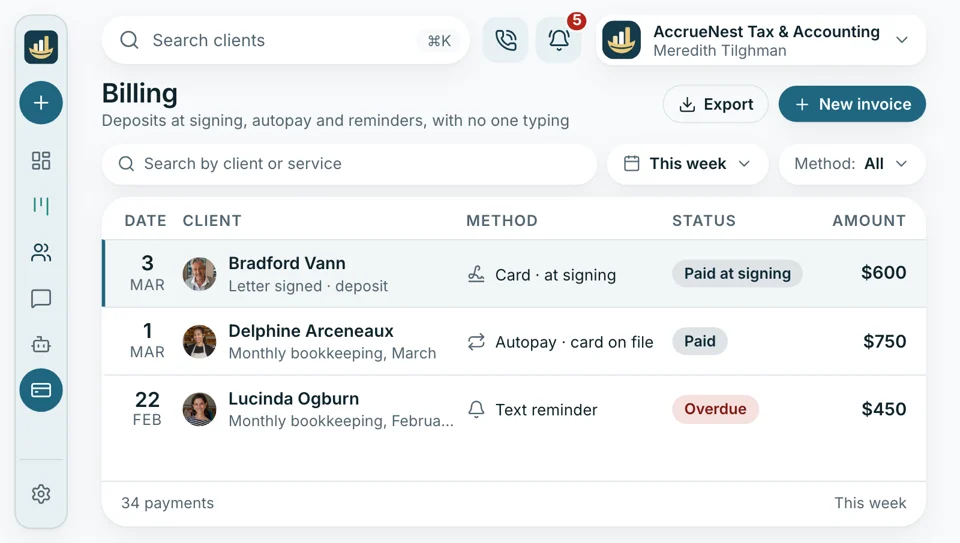
A client accepts the proposal, e-signs the engagement letter and the deposit is charged at signing. Monthly clients go on autopay, and an overdue invoice reminds the client by itself.
- Fees collected up front, before the return is opened
- Payments recorded in QuickBooks Online so your books pick up the fees
On your phone
The office line on your phone
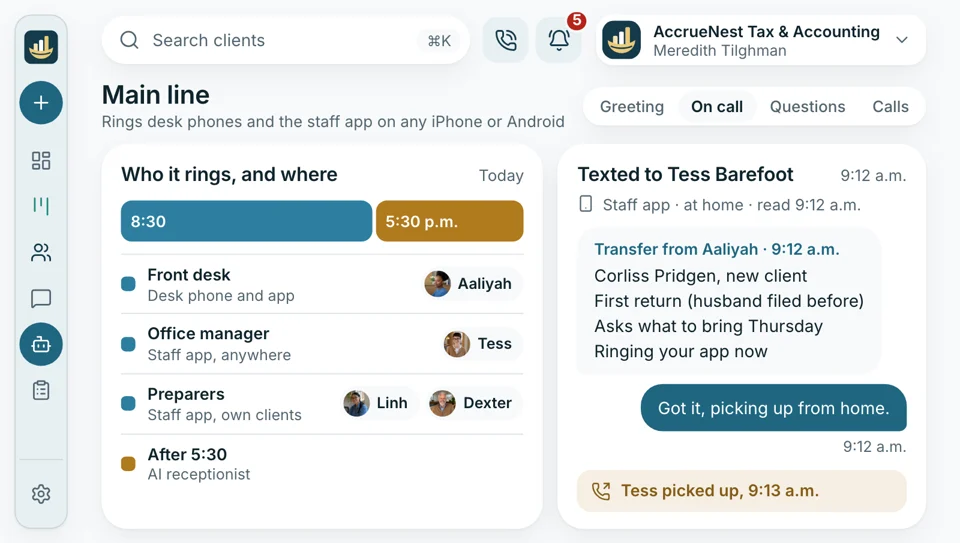
The staff app rings with the office number on your iPhone or Android phone, so you can take a call from the drop-off counter, the back room or home on a snow day. Caller history opens on screen, each recorded call plays a notice up front, and texts go out from the firm's number, never your own.
- Past calls appear the moment it rings on screen
- Calls recorded with a notice up front in every state you serve
Ad spend
Ad charges billed to your firm
Click charges go from Google and Meta straight to your firm, through accounts your firm opened and owns. The flat fee already covers our time creating and managing every campaign. For you that means one AccrueNest invoice a month, ad receipts kept in the accounts your firm holds, and no markup to reconcile.
- Our invoice never changes month to month, priced by the headcount that signs in
- Ad receipts download from Google and Meta accounts your firm holds

Busy lines
Three lines ringing at once
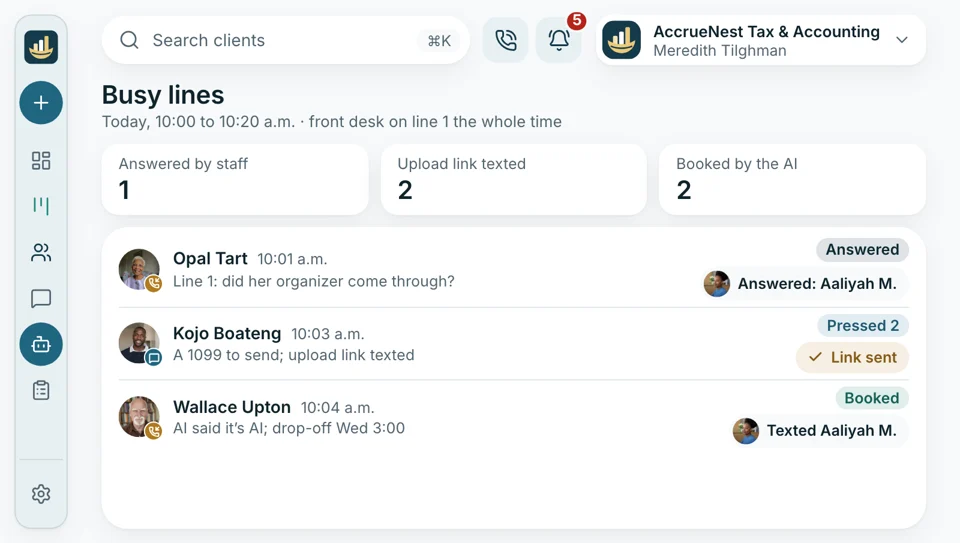
April 14, 10 a.m.: the front desk is on one call and two more lines are ringing. The phone menu texts document questions a link for uploading, and the rest reach your firm's AI helper, which introduces itself as AI and books a time.
- Overflow calls picked up under your firm's name
- Urgent calls jump to the partner's desk line right away
Team hand-offs
Route a question to its preparer
A client texts a question about their K-1. You assign the thread to the preparer on that return and add an internal note the client never sees, and the reply goes out from the firm's number once they answer.
- Internal notes stay inside, never in the client's texts, every time
- Templates for the ten questions you answer daily

After pick-up
Reviews
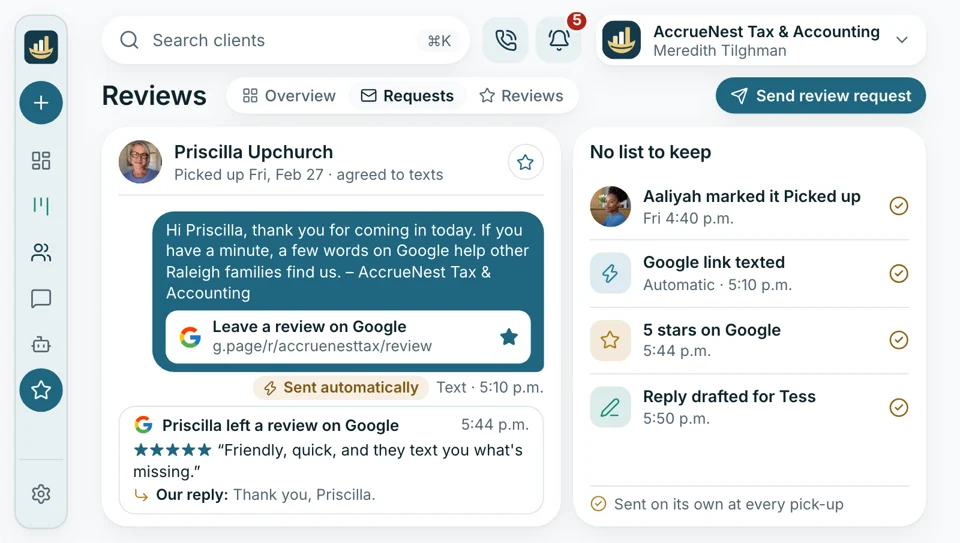
When a return goes out or the year's books are closed, each client who gave consent receives a short text linking to your Google reviews, whether they loved the work or not. Your desk keeps no list of who to ask.
- Every public reply is drafted, then waits for your yes
- Our replies say nothing about whether the reviewer was ever on your books


On every plan too
- Two-step sign-in
- A log of who changed what
- Gmail and Outlook sync
- Payment plans for larger balances
- Spanish on the phone
- Next year's engagement letters sent
Open one client and see their whole year
When Wanda calls about her return, her record shows the organizer with the items she still owes, the signed engagement letter, the last invoice, every text since January and the stage her return has reached.

Documents requested Moves to In prep once both are in. Wanda got Monday's reminder.
Return stageLinked from here
- Calls Every call Wanda made, with the recording, transcript and who answered.
- Website forms The form Wanda filled in on your website last year, with her answers and the page she came from.
- Search source The Google search that first brought her in.
- The ad that found her If an ad brought her in, the record names the campaign, and her engagement counts against that campaign's spend in your report.
- Texts Each text and email she sent or got since January, on the firm's number.
- Her appointments Drop-off Thursday, pick-up once it's filed.
- Review request Sent after pick-up, since she signed the consent with her letter.
Show us how you track organizers now
Share the spreadsheet or sticky notes you run the season on. During the demo, Imogen sketches how that list becomes reminders, a calendar and a board.


Behind the desk

Cornelius B.Owner of a CPA firm, Columbus No callsasking for missing documentsOur office manager spent every March phoning clients for documents. This year the reminder texts did that, and the calendar finally got proper attention.

Ezequiel M.Enrolled agent, San Antonio One callto set staff rolesSeasonal preparers only see their own returns. Imogen set that up during one call.

Annika L.Bookkeeping firm owner, Minneapolis The 5thstatements in each monthBank statements arrive by the 5th now. The request goes out on the 1st and keeps reminding until everything's in.

Marguerite D.Office manager, New Orleans CPA firm Retiredmy organizer tracking spreadsheetI used to keep a spreadsheet of who owed what. Now the board names the missing items for every return.

Prakash S.Tax preparer, Edison accounting office One replyper client question, usuallyClient questions reach me already assigned, with a note from the office manager. I answer once and go back to the return.

Thuy N.Client services lead, Houston tax office Lunch backfor the front deskIn February, nobody at our counter got a real lunch break. Overflow calls go to our AI helper now, and I read its summaries after.


Office managers ask
Questions about the setup
Type a word: reminders, roles, training.
6 questions
How much time will this save us?
We won't quote a number we can't back. What changes is who does the asking: texts request each missing document, busy lines roll over to your AI helper, and overdue invoices send their own reminders.
Can I change the reminders and messages myself?
Yes. You can edit any template, change when reminders go out and send a one-off text from the inbox. Bigger changes, like a new organizer or a new stage on the board, our team builds when you email the request.
Who trains our staff?
We do. Your client list is brought over, your organizers and engagement letters are rebuilt and your people are trained, all at no extra charge. Training runs on calls with your own clients on screen. Reception learns the shared inbox and booking calendar, preparers the Workflow board, and you the settings, reports and how to ask us for changes. Seasonal staff get a short session when they join.
Can I set what each person sees?
Yes. Roles decide what each login shows: seasonal preparers get just the returns assigned to them, and reception handles messages and bookings with reports hidden. Everyone signs in with a second step, and a log records who changed what.
Who do I contact when something needs changing?
Your account manager, Imogen Pritchard. Email sales@accruenest.com; our team handles any change to forms, texts or the board.
Is client information kept safe?
What clients upload or tell your firm is encrypted, used only to serve your firm and not sold to anyone. Every login uses two-step sign-in, and no form ever asks clients for their SSN or bank details.
Often searched
Talk to Imogen
Email Imogen at sales@accruenest.com about roles, reminders or your current setup.
Imogen PritchardAccount manager
Request a demo