

Client portal and app for accounting firms
Documents in your portal,
not a preparer's inboxYour portal, not an inbox
AccrueNest's client portal for accounting firms of 1 to 10 people wears your logo and colors in the browser, and clients can also use the client app for both iPhone and Android. Clients sign letters, send W-2s from a phone and open invoices there, instead of emailing whoever wrote to them last.
- Every signed letter and invoice, a sign-in away
- Organizer links need no password

Live in 14 daysMonth to month, no setup fee
- Request links sent by text
- Reminders until each item arrives
- Invoices seen and paid online
- Stage texts as returns move
- Organizers with no login
- Two-step sign-in
A firm sets up a portal and half the clients use it. The rest email attachments to whoever wrote to them last, text photos to the owner, or call about a password. Once the request arrives as a text, they just tap.
Documents spread across five inboxes
Each client, one login
How it looks from the client's chair.


Inside the portal
What clients open when they sign in
Letters to sign and invoices to pay carry your firm's name, and each document a client sends is filed in its own slot on your side.


The letter is prefilled from the proposal, and the client signs it on a phone between meetings. The signed copy stays in their portal, so nobody emails asking for it next spring.
The request names each document the return needs: W-2s, 1099s, K-1s, last year's return. Clients send PDFs, Word or Excel files and phone photos, and each one arrives under its own name on their record. Whatever is still missing gets named in a text that points back to the form.
Every invoice your firm sends appears in the portal, and clients pay each one online from its pay page, by card or from a bank account.
The email holdouts
Getting the other half to use it
On your website
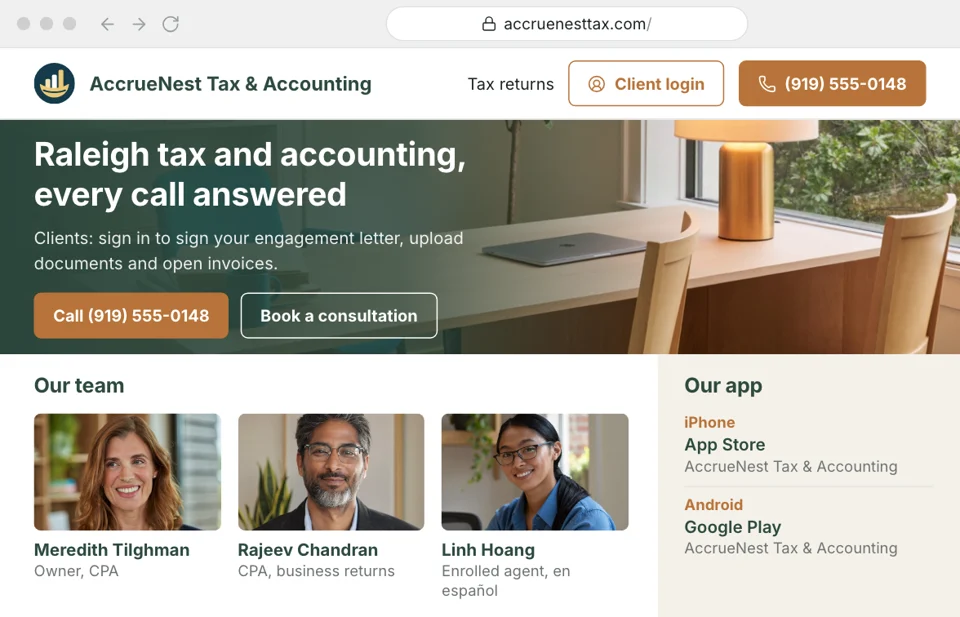
Client login in your header
Clients look for the login on your website, not in an old email. Across your new site, every header carries a Client login button that opens your branded portal, so a returning client never has to search for the address or ask the desk.
- Returning clients find the login in the header of every page we build
- New clients get the address in their welcome text after they sign
Requests
The link comes by text
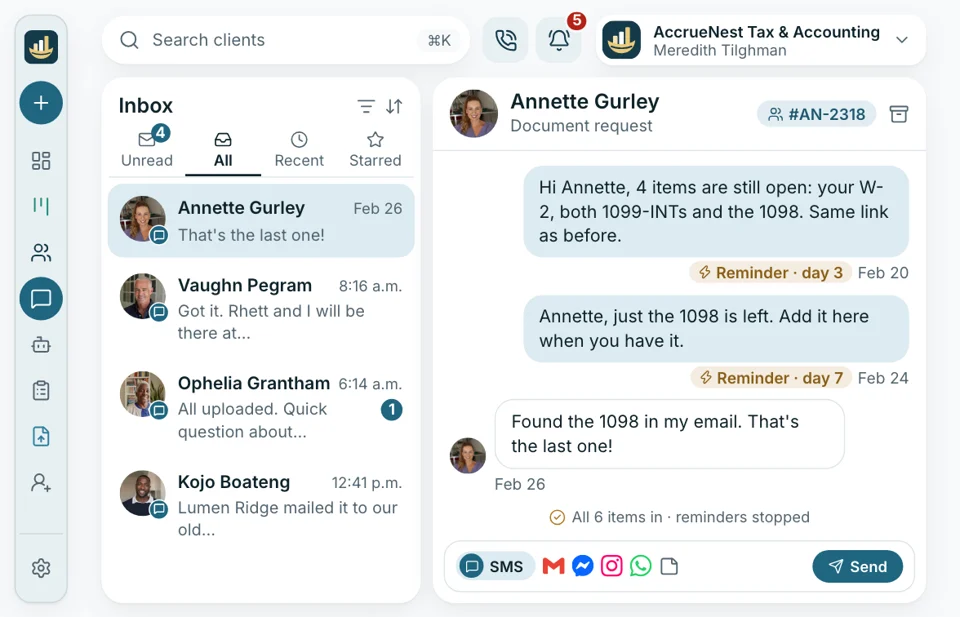
Clients rarely log in to check which documents you still need. So the request goes to them as a text, and its link opens the form without a password. Then come reminders on day 3, day 7 and weekly until the last item is marked in.
- Each reminder names only the items your staff haven't marked in yet
- Consent comes first, so anyone who never agreed to texts gets none
Return status
A text each time it moves
Clients who once called to ask about their return now hear first. When staff move the return to In review, Ready to sign or Ready to pick up on the board, a short text lets the client know what changed. Any reply arrives at your office number, filed under that client in the inbox.
- You choose which stages send a text and which stay quiet
- Answers come in as texts on your office line

Monthly clients
The monthly statement upload
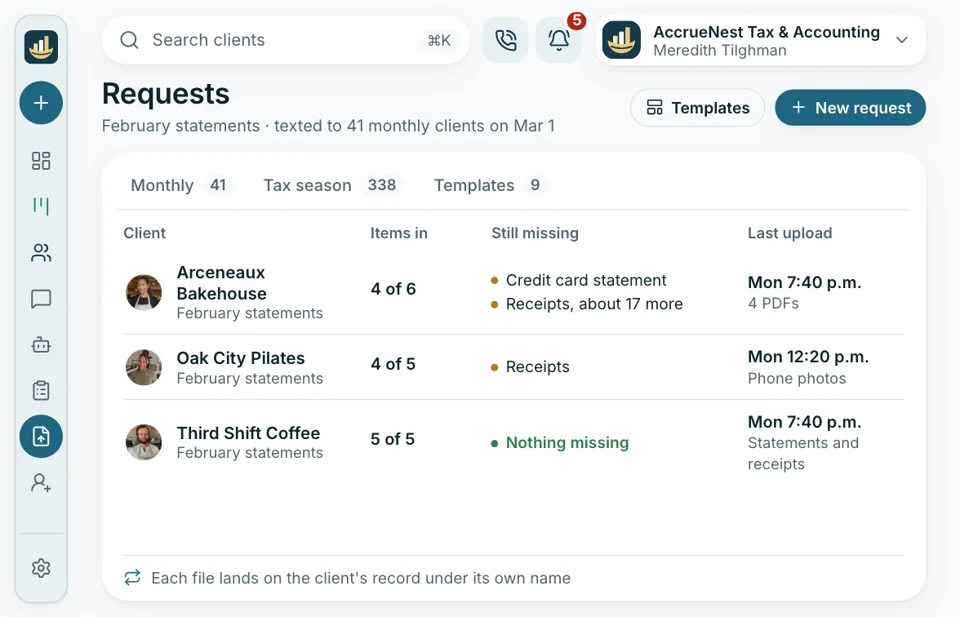
Bookkeeping clients get the same treatment each month. A request for bank statements, card statements and receipts is texted out, the files arrive on their record, and their portal keeps everything they sent for when they need it again.
- Receipts go up as phone photos the same day
- Earlier statements stay visible in their portal for reference


In every plan
- Your logo and colors
- On your firm's domain
- Two-step sign-in
- User roles for staff
- A log of who changed what
- A client app in both app stores
Same client, from first call on
The portal is the part your clients see. Behind it, the same record holds their calls, texts, booked meetings, signed letters and payments, so the front desk can answer a question without asking the client to resend anything.

Client Portal & App Your branded portal on the web, and a client app for phones.
This pageLinked to the portal
- Reporting A monthly emailed report: fees collected, returns by stage, and the source behind every new client.
- Phones Each caller's past calls and texts appear on screen.
- Local SEO Pages for each service and city, written by us and signed off by you, so searchers land on your firm before another.
- Website The site we write for your firm shows the Client login beside its booking button.
- Ads Google and Meta ads managed by our team, with spend billed straight to you.
- Messaging Texts, email and web chat arrive in a shared inbox, filed by client.
- Reviews Once a return goes out, each consenting client is texted your Google review link.
Bring the logo, we'll show the portal
Tell us how documents reach your firm now and bring your logo. While we talk, you see your portal open the way a client sees it on a phone. Pricing begins at $97 monthly.


W-2s, where they belong

Cornelius B.Owner of a CPA firm, Columbus Zero W-2slost in someone's emailW-2s used to land in whichever inbox a client had handy. This season every document came through the portal link, filed under the right name.

Ezequiel M.Enrolled agent, San Antonio No loginsneeded for the organizerMy older clients never used a portal. Now they open my text and send photos of each form.

Annika L.Bookkeeping firm owner, Minneapolis Monthlyuploads, all filedStatements used to arrive in three different emails. Now each client uploads to the month's request, and I find everything on their record.

Marguerite D.Office manager, New Orleans Fewer resetsin February alonePassword calls dropped off once the organizer opened straight from a text. My desk has its mornings back.

Prakash S.Tax preparer, Edison, NJ Every K-1on the recordI stopped digging through my email for K-1s. They show up on the client's record, each one named, before I open the return.

Thuy N.Client services lead, tax office, Houston Paid onlinebefore pick-up day arrivesClients see their invoice in the portal and pay it online. I send far fewer reminders about unpaid fees now.


Portal questions
Before clients sign in
Search for app, password or invoice and the questions filter as you type.
6 questions
What will clients find once they sign in?
Signing in, clients find the name and branding of your firm at the top; from there they sign letters, upload documents and open their invoices, signed copies and the files you share.
Is the portal secure enough for W-2s and K-1s?
What clients upload or tell your firm is encrypted, used only to serve your firm and not sold to anyone. Staff sign in with two steps.
Is a password needed to send documents?
Not for documents. The organizer and request links work without any sign-in, so most clients never need a password. They log in only for the portal itself, to see letters, invoices and shared files.
What about clients on their phones?
The portal opens in a web browser on any computer, and on phones through a client app for both iPhone and Android. Every plan includes it.
Can clients sign, pay and send us messages in it?
Signing and paying, yes: letters are signed in the portal, and each invoice there is paid online through its pay page. Messages travel as texts to your office number and show up in the shared inbox.
Can I send the finished tax return through it?
The return itself is delivered from your tax software, as it is today. The portal keeps signed letters, invoices and files your staff share.
Common searches
Ask about the portal
Imogen handles your portal's branding at setup and can show you exactly what clients see.
Imogen PritchardAccount manager
Request a demo