

For enrolled agents and their offices
Calls about IRS letters,
answered and on your calendarIRS letter callers, on your calendar
AccrueNest is enrolled agent marketing and front-office software for US firms of 1 to 10 people: a website, ads and Google reviews that bring callers in, and phones that answer them. Notice calls, extension requests and return questions get answered and booked all year.
- People holding an IRS letter booked into paid consultations
- Extension requests logged and passed to staff
- Year-round calls answered too


Live in 14 daysMonth to month, no setup fee
- Bios written for enrolled agents
- Paid notice consultations
- Hang-ups answered by text
- Google reviews
- Texting
- Spanish calls
Monday morning
On hold with the IRS, missing three new callers
You're forty minutes into a hold on the IRS practitioner line when three people call about letters they just opened. Two leave voicemails; the third hangs up and dials the next office on Google. With AccrueNest, the calls you can't take go to your AI receptionist instead. Each caller first hears that an AI helper is answering for your firm. It notes which letter arrived and when, and books a paid consultation with you. Tax advice stays with you.

- Voicemail tag
- Callback lists
- Your personal cell
- Calls answered
- Letter details noted
- Consultation booked
What callers need
Letters, extensions and late returns, in every month
The phone keeps ringing after April 15. Each tab follows one call, from the first ring to a booking or a payment.
AccrueNest · Calendar

The booking on mobile

Paid consultations for notices
A caller holding a CP2000 picks an hour with you on your site, pays the consultation fee you publish, and gets a reminder to bring the letter.
See the calendarAccrueNest · Calls

The caller's text back

A text for every hang-up
At 2:15 you're with a client when a new number rings out. Inside sixty seconds a scheduling link reaches that caller by text, sent from your office line.
See phone detailsAccrueNest · Reviews

A drafted reply to approve

Careful review replies
Our replies to reviews say nothing about whether the reviewer was ever on your books, and nothing about any return, balance or tax matter.
See reviewsAccrueNest · Prospects

New inquiry card

Unfiled returns
A shop owner who hasn't filed since 2022 uses your web form at 11 p.m. A card opens under New inquiry naming the service and which ad sent them, and a text reply goes out.
Open the pipelineAccrueNest · Billing

Deposit paid at signing

Deposit before work
The letter for three late returns is e-signed on the client's mobile, with the deposit you set paid in that same step. Work begins once it clears.
AccrueNest · Reports

Report email

Sources
Your monthly report breaks out the searches, ads and referral partners behind notice callers, and what each new client cost.
View reportsAccrueNest · Extensions

The September text

Extensions
In early September, each extension client who agreed to texts gets one reminder of October 15, with your upload link.
See texting toolsNot just the weeks before April
Enrolled agents take calls every month of the year. Three from one ordinary week.
Lunch break· Two callers handled, a consultation on Thursday
12:20· Notice caller
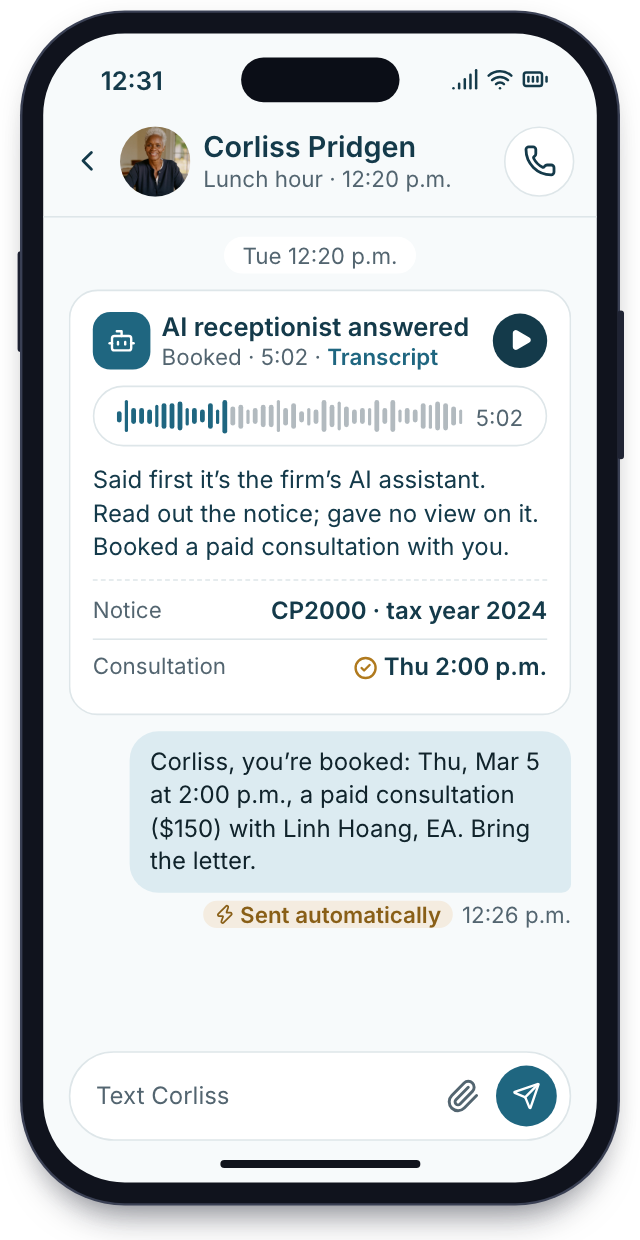
Answered at lunch
At 12:20 someone calls about an IRS letter. Your AI receptionist opens by saying it's the firm's AI, records the notice number and books a paid consultation. Advice waits for you.
Tuesday· Amended return question
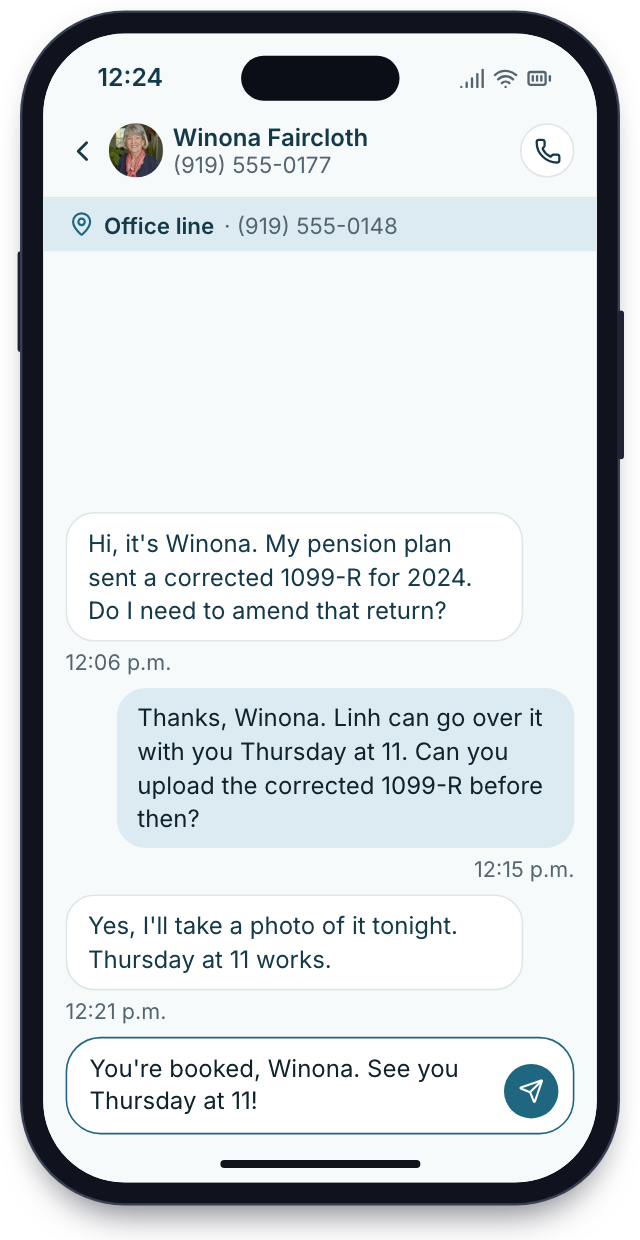
Answered from the inbox
A client texts your firm's number about an amended return. The message shows up in the shared inbox instead of your cell, and the front desk answers in that thread.
Thursday· Return filed
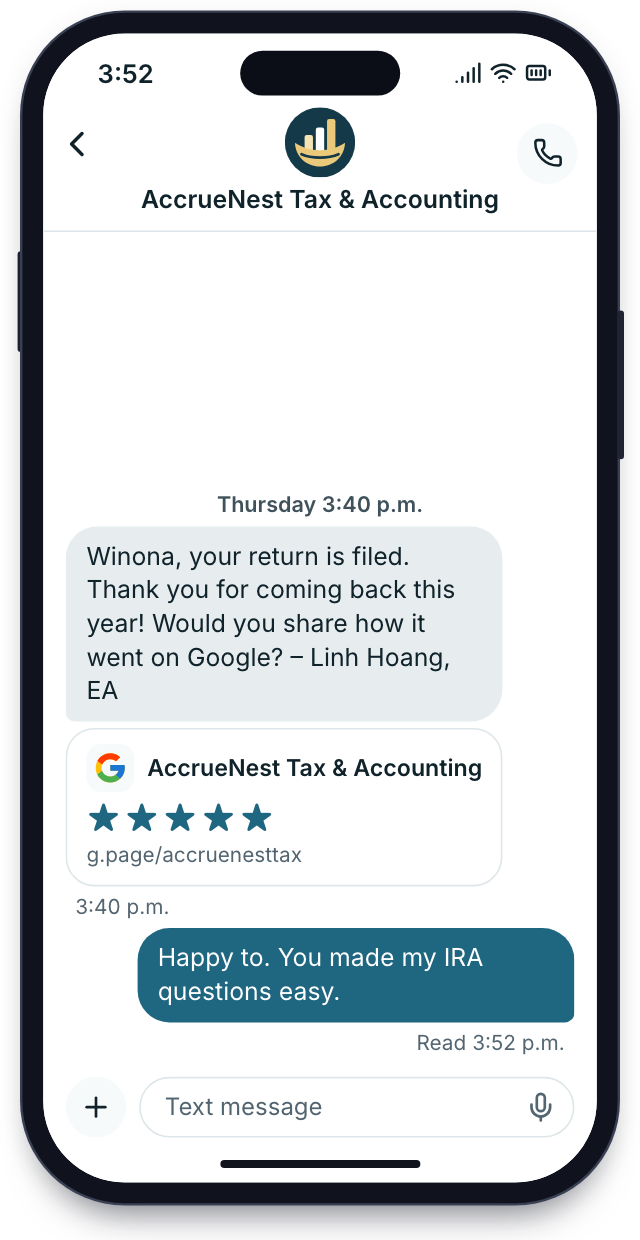
Review requests after filing
When a return goes out or the year's books are closed, each client who gave consent receives a short text linking to your Google reviews, whether they loved the work or not.


Setup
Two weeks, and your staff build nothing
Clients keep calling during setup, and nothing changes for them until launch day. We ask a few questions each week.
Credential and services
We list your services, from notice work to unfiled returns and year-round prep, your published fees, the tax software you keep, and how your bio states the credential.
A call about your credential and services
Pages and paperwork
We import your client list, write the service pages and bio, rebuild the new-client form and engagement letters, and set the consultation fee.
Your site written, forms and letters rebuilt
Training for everyone
Whoever answers your phones learns the inbox, the call screen and booking. Preparers learn the workflow board and organizers, the extension board included. You go through payments, reports and how the AI greets callers and hands urgent ones to you.
Training around the calls you get
Notice callers start booking online
Your website, office lines, booking calendar and AI receptionist all switch on together. Texting follows carrier approval, days to weeks later.
Phones, booking and site switched on
Month to month, no setup fee, live in 14 days
Setup checklist
Live by day 14
8 of 28 done
1Credential and servicesDoneIn progressUp next
- Bio wording settled: enrolled to practice
- Notice, extension and unfiled-return services listed
- Price of a notice consultation fixed
- Tax software you keep noted
- Peak calling months marked
- Urgent call rules agreed: who gets rung, and when
2Pages and paperworkDoneIn progressUp next
- Past clients imported
- Bio drafted in your own voice
- Intake form built with consent boxes
- Deposit amount added to each letter
- Extension board set up for September
- Phone menu recorded
- Texting registration sent to carriers with your legal name and EIN
- AI opening line approved
3Training for everyoneDoneIn progressUp next
- Sample notice call run
- Inbox shown to whoever answers
- Extension board explained to preparers
- Calendars synced
- Urgent transfer tested end to end
- Deposit and invoice flow tested
- Phones set up with our staff app
4Notice callers start booking onlineDoneIn progressUp next
- Site published with your bio and a consultation page
- Notice campaigns start
- Post-filing review texts start
- Texts start after carriers sign off on your firm
- QuickBooks Online payments flowing
- Reports emailed
- First check-in
Count last month's missed notice calls
Pull up last month's phone records and count every unanswered call. On the demo we run a sample notice call through to a booked consultation and show what your headcount would pay.


Answered, booked

Cornelius B.Owner of a CPA firm, Columbus After 5notice calls bookedNotice calls after five sat until the next day. Now they're booked as paid consultations before I open my email.

Ezequiel M.Enrolled agent, San Antonio Every callabout a letterHalf my calls are people holding an IRS letter. Now each one gets answered and booked while I'm on hold myself.

Annika L.Bookkeeping firm owner, Minneapolis Deposit firston every cleanupClients who arrive with years of unfiled returns sign the letter and pay the deposit before we touch a thing. That one change ended unpaid cleanups.

Marguerite D.Office manager, New Orleans 1 textfor extension seasonOur extension clients got one text in September, and most documents came back within a week.

Prakash S.Tax preparer, tax and accounting office 2 bookingsduring one lunchCallers who miss us at lunch get a text back with a booking link. By the time I'm back at my desk, two are on the calendar.

Thuy N.Client services lead, Houston Zeronames confirmedNo reply we post says whether a reviewer was ever our client. That matters here.


EA questions
Asked by enrolled agents
Search notices, Drake or advice to find an answer fast.
8 questions
Is AccrueNest made for enrolled agents?
Yes. Enrolled agents and their tax offices are among the firms we serve, from solo EAs to offices of 10. Each plan includes everything. The monthly price follows the headcount that signs in, starting at $97 for one person.
Can my site say “enrolled agent”?
Yes. Your bio says enrolled to practice before the IRS, the wording Circular 230 allows.
Does it handle IRS notices?
It handles the calls and paperwork around a notice, not the notice itself. Callers are answered, booked into a paid consultation and sent your engagement letter with a deposit. Representation, transcripts and advice stay with you and your own software.
Can the AI answer tax questions?
No. It gives no tax advice and never says what someone owes, what they may deduct or whether a return is ready to file. It records the details and leaves the answer to your staff.
Do we keep Drake or the tax software we use now?
Yes. AccrueNest runs beside Drake, ProConnect, ATX or whatever you file with. Form 8879 is signed in your tax software, as it is today.
What does an EA office pay?
A solo EA pays $97 monthly on Proprietor. Nothing is held back.
What does setup cost?
Nothing. Bringing your list over and training everyone is free.
Can we cancel monthly?
Yes. You owe nothing beyond the month already paid.
What EAs search
Ask Imogen directly
Email Imogen at sales@accruenest.com about notice calls, consultation fees or how your bio will read.
Imogen PritchardAccount manager
Request a demo